See where to intervene — before it becomes a problem.

Multiple plants, multiple shifts, thousands of people — on one overview screen. Audit-ready compliance, expiring training, and performance right where you need to act.

The same system, in the cloud or on your own servers — for three trainings today, multiple sites tomorrow

The question isn't what the system can do. It's how much work it takes off HR's and managers' shoulders.

0 Deployed in manufacturing and office HR environments
0 10,000+ active users
0 25 years of product development
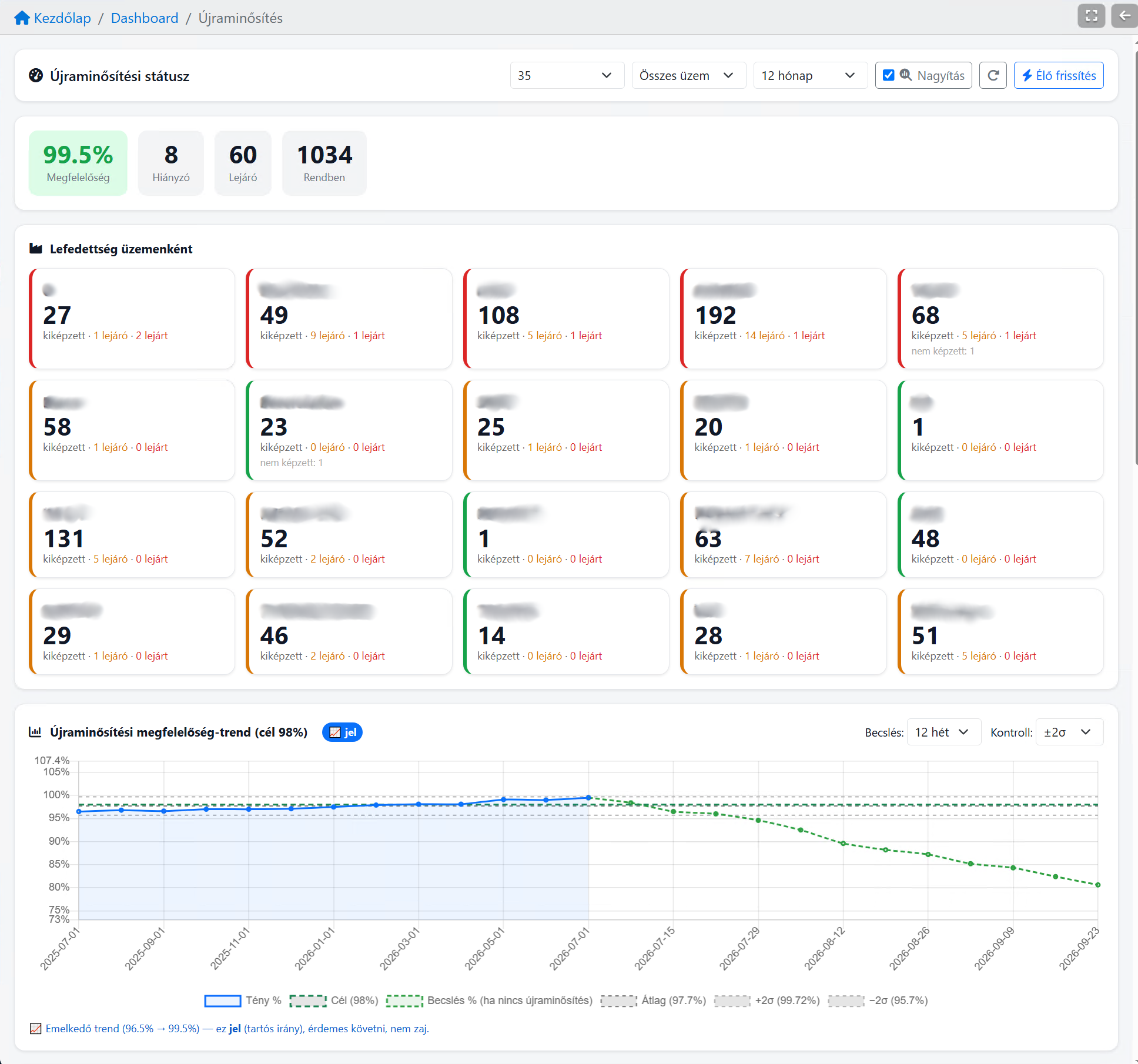
Requalification status

The trend warns in time. Not after the failure.

Control-limit compliance trend, target and forecast in one view: see whether the plant is on track or off — while you can still act.

  • Compliance live: missing, expiring and in-order training
  • ±2σ control limits — signal separated from noise
  • Forecast: what happens if no requalification starts
You'll never see a 20-plant trend in Excel in time.
Request a demo on your own data
The development loop

Training isn't an event. It's a loop — with the control panel at its center.

Record, report, intervene, re-measure — every transition passes through oneDashboard: data becomes a report, the report becomes a decision.

oneDashboard REPORT · DECISION Record E-LEARNING · ATTENDANCE · CHECKLIST Intervene PARETO · WHERE TO ACT Re-measure REVIEWS · 360° · KPIs new cycle

Data flows inward (record, re-measure), decisions flow outward (intervene) — the loop's engine is the control panel.

1

Record oneLearning

E-learning and classroom training results, attendance sheets, checklists — every training record lands in one place.

1,495 training records in one query
2

Report → intervene in training oneDashboard

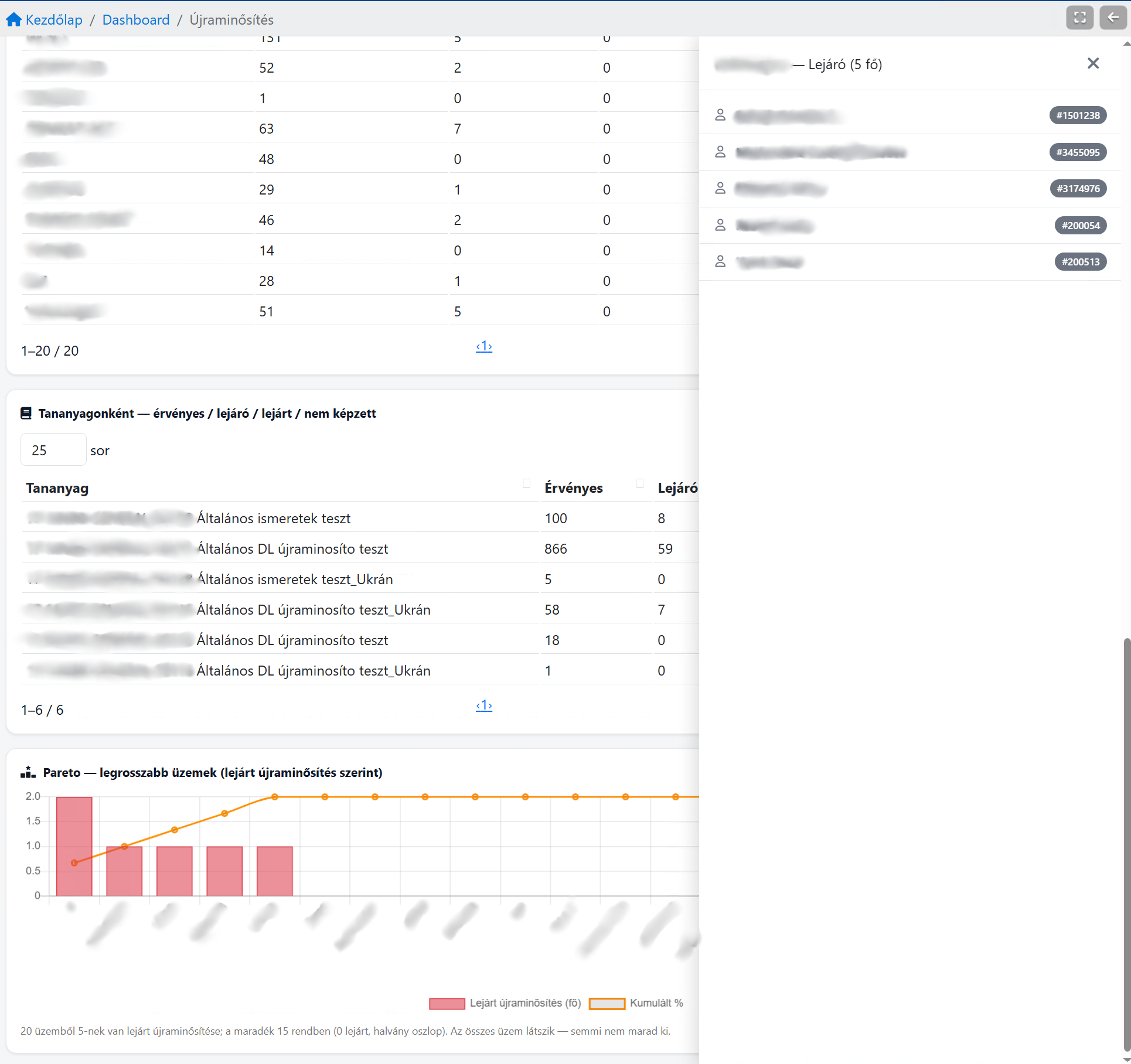
KPI and trend show where the gap is — the Pareto tells you which plant and who needs action.

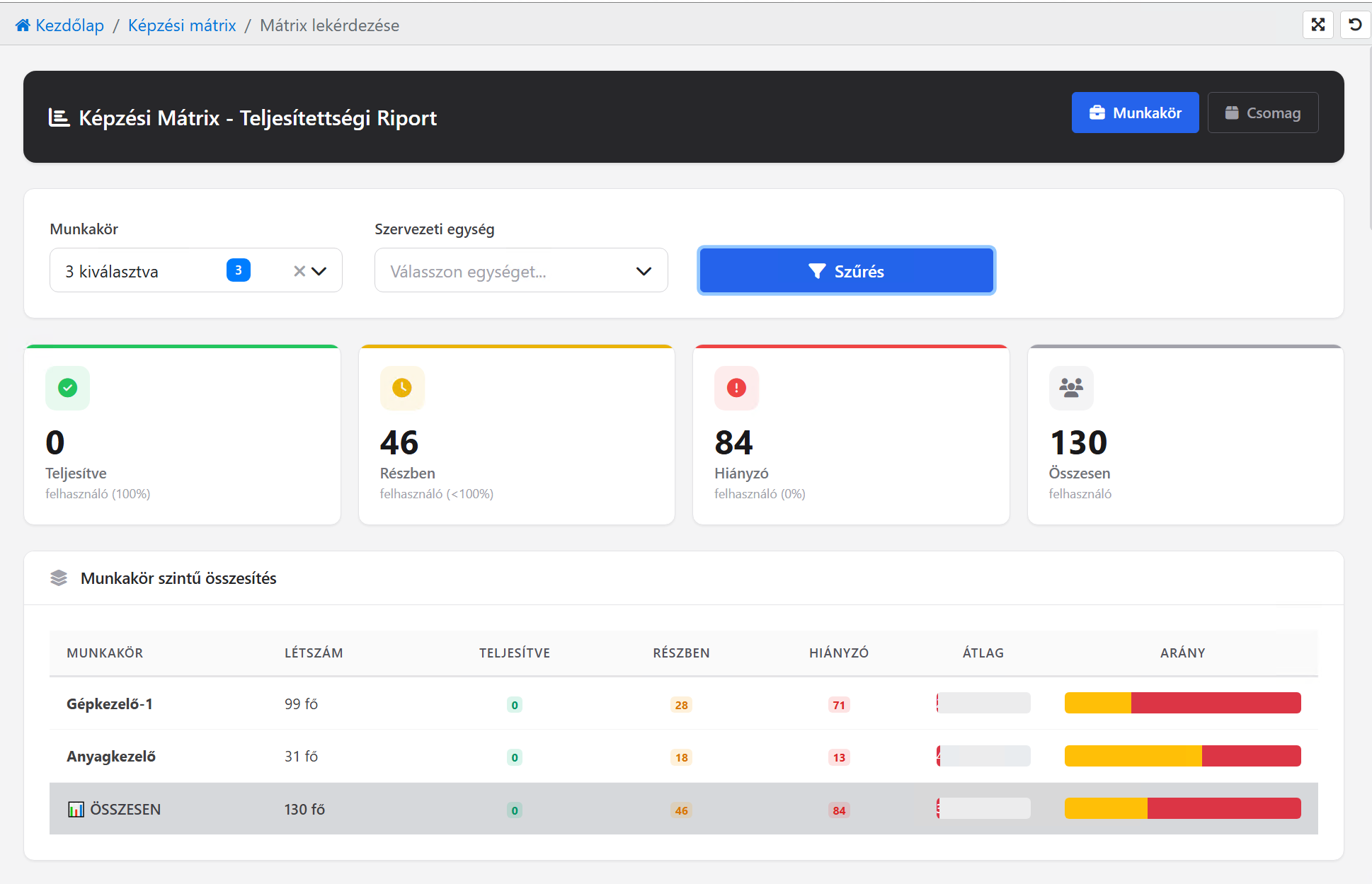
46 partial · 84 missing → Plant C: intervene
3

Re-measure onePerformance

Did the training work? Reviews, 360° feedback and KPIs measure the progress back.

competency 67% → development need
4

Report → intervene again oneDashboard

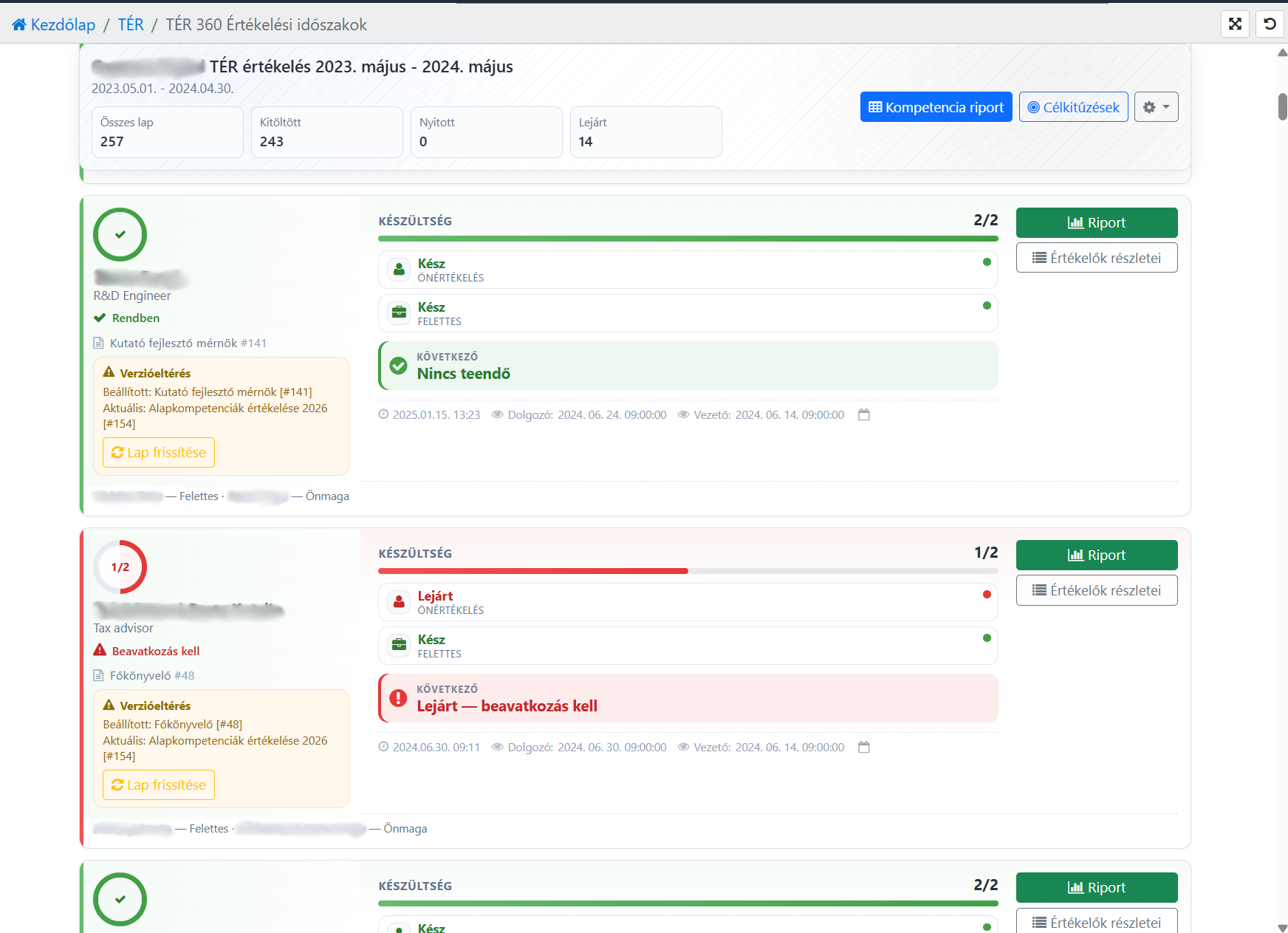
Evaluation data becomes a report too — and another targeted intervention: training, development plan, reallocation.

"intervention needed" → a new training cycle starts
…and the loop continues — the full training-development and performance cycle.

Solutions for every HR need

How do we know everyone is prepared?

oneLearning

  • Upload own materials
  • Videos, PDFs, tests
  • See who is where
Learn more
How do we know the knowledge shows up in the work?

onePerformance

  • Individual goals
  • 360° feedback
  • Development plan
Learn more
How do we know operations are in order?

oneTiming

  • Timesheets
  • Time tracking
  • Absence management
  • Automatic reports
Timing details

Three jobs, one control panel.

Overview, control, intervention — turning training and performance data into a management decision.

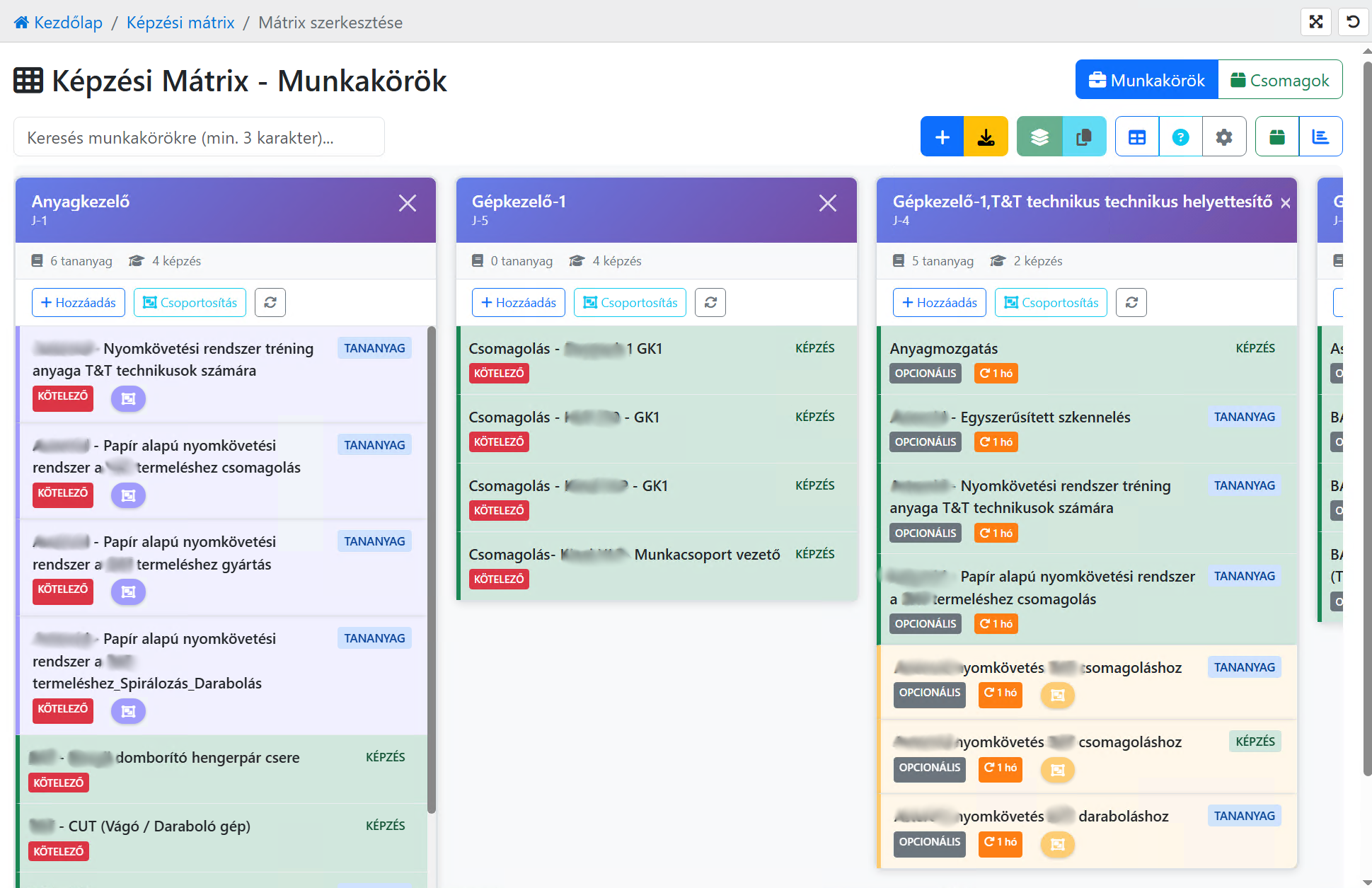
The whole plant on one screen

Filter by plant, line, station, shift – don't assemble the plant's status from 12 Excel files.

Audit-ready compliance

Completed / partial / missing, live, with expiry and requalification tracking. Provably.

A trend that warns in time

Control-limit compliance trend and Pareto: which plant is slipping – before it fails.

Skill & training matrix

Qualification by station and role: where there aren't enough A-level people for the next shift.

Performance overview

360° review status, competency heatmap, goals – see in time who needs attention.

Export & share

XLS, PDF, print from every view – the report isn't a dead end, it's a decision.

user-zoom

The dashboard zooms out. The cockpit zooms in.

Trend Plant Role Person

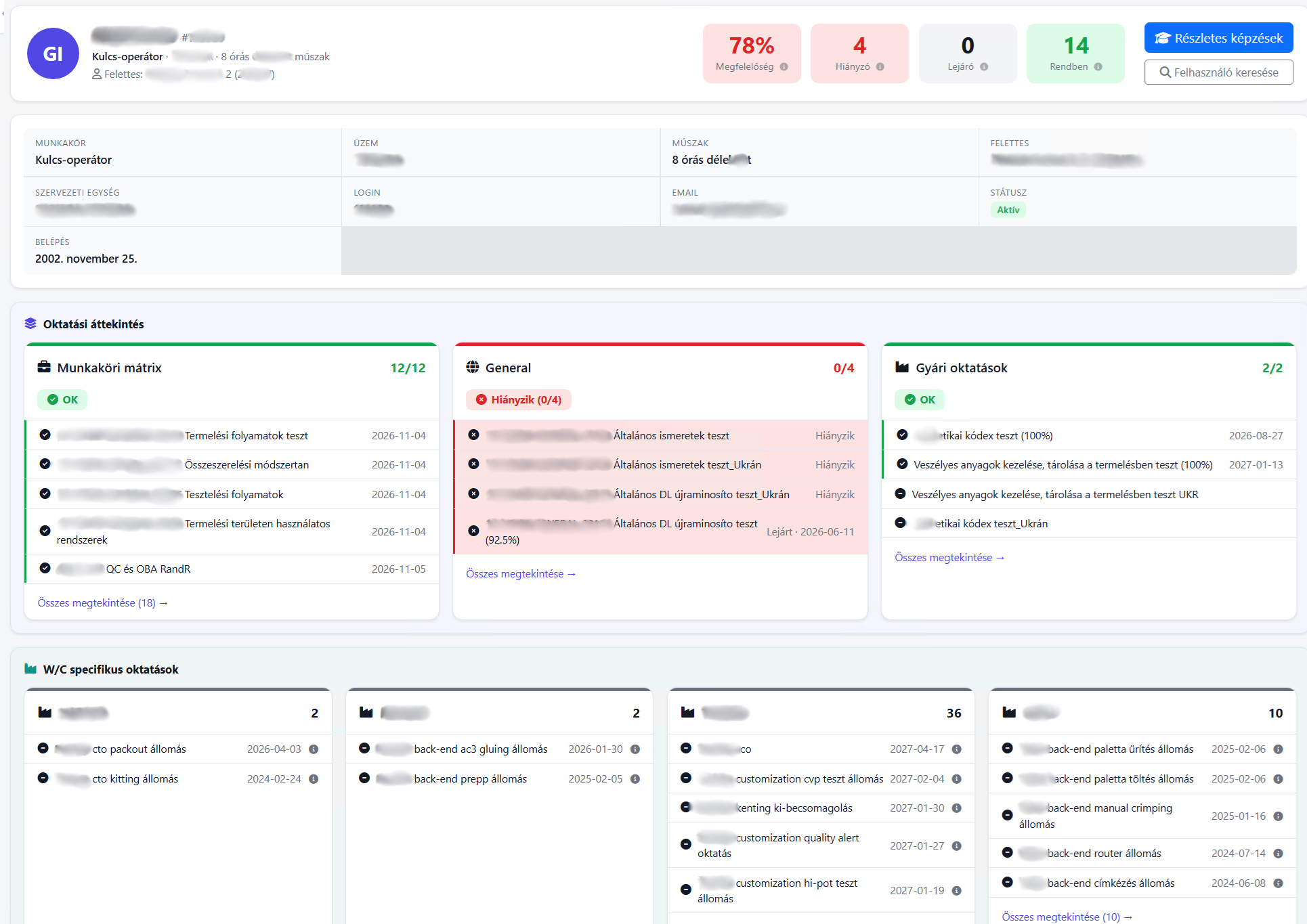
The control panel shows the big picture — but every decision is ultimately about one person: whose training expires, who needs to be scheduled, who may work the station. The same data, from two directions: the trend from above, the person from below.

  • Two clicks from the Pareto to the actual employee
  • Compliance, missing and expiring training on one personal sheet
  • Role matrix and plant-specific training — who may work where
Personal cockpit — the employee's full training picture, data redacted.
Not a mockup

This is the system. Live, in a manufacturing environment.

Real screens from a multi-plant manufacturing HR environment — customer and personal data redacted.

Requalification control panel 99.5% compliance, 20 plants, control-limit trend and forecast — the real original of the panel above.

Real system screens · customer and personal data redacted

SaaS
vagy
On-site

Choose what suits you

Supports both cloud (SaaS) and on-site (on-site) deployment. Detailed service models are presented on the oneSolution page.

View details →
HR support, training, interim solutions

HR School is One Solution's strategic partner: offering practical HR support, training, and interim solutions to ensure that system implementation and operations succeed not just technologically, but professionally as well.

Learn more

Why we built it this way

Because in 25 years we've seen that most HR people don't need more menu items — they need to find information faster, administer less, and coordinate less. So with every change, we ask the same questions:

  • Will it mean fewer clicks?
  • Will it mean less admin?
  • Will information be found faster?

If yes, it stays. If not, we don't build it.

What you gain

See risk in time

Gaps and expiries show on the overview, not at audit.

One view, the whole plant

Multiple plants, shifts and roles on one screen.

Data into a decision

Trend and Pareto: where to intervene now.

Audit-ready evidence

Compliance and requalification, exportable.

Less Excel

The report assembles itself, not by hand.

Contact

Provide your phone for a quick callback

Email address

info@onelearning.info

Postal address

One Learning Zrt.
1021 Budapest, Budakeszi 51/D C.ép. II/5